Last updated October 15, 2026.
This guide shows how to update the Secure Boot certificates on a Windows fleet with Microsoft Intune, from checking firmware to confirming each device finished. It’s for endpoint admins who manage Windows 10 and 11 devices, and a pilot takes about a week because of the restarts and the 12-hour task cycle.
The timing is tight. Microsoft’s original 2011 certificates reach their expiry dates in 2026: the KEK CA on June 24, the UEFI CA on June 27, and the Windows Production PCA on October 19. I flagged this in the January issue of MDM Monthly and again in the issues since.
An expired certificate doesn’t stop a PC from booting, but it can leave the device unable to receive new protections for boot-level threats. Fixing it is still worth doing now.
Before you start
- Supported Windows: Microsoft lists Windows 10 (including LTSC and 22H2) and Windows 11 versions from 21H2 through 25H2, and Windows Server from 2012 ESU through 2025. Check the current list in the Microsoft article linked below.
- Intune rights: you need permission to create configuration profiles.
- BitLocker keys: confirm recovery keys are escrowed in Entra or your key store before you touch any device. Some HP models went into BitLocker recovery when admins forced the update, according to reports from a July OEM session.
- Diagnostic data: devices must send required diagnostic data for the opt-in settings below.
- A pilot group that includes every hardware model and BIOS version you manage.
Step 1: Choose one method

Microsoft offers four ways to deploy: automatic delivery through Windows Update for devices it rates as high confidence, Intune, Group Policy, or registry keys. Pick one per device and don’t mix them. I use Intune for managed devices, because it reports status centrally.
Step 2: Check firmware first
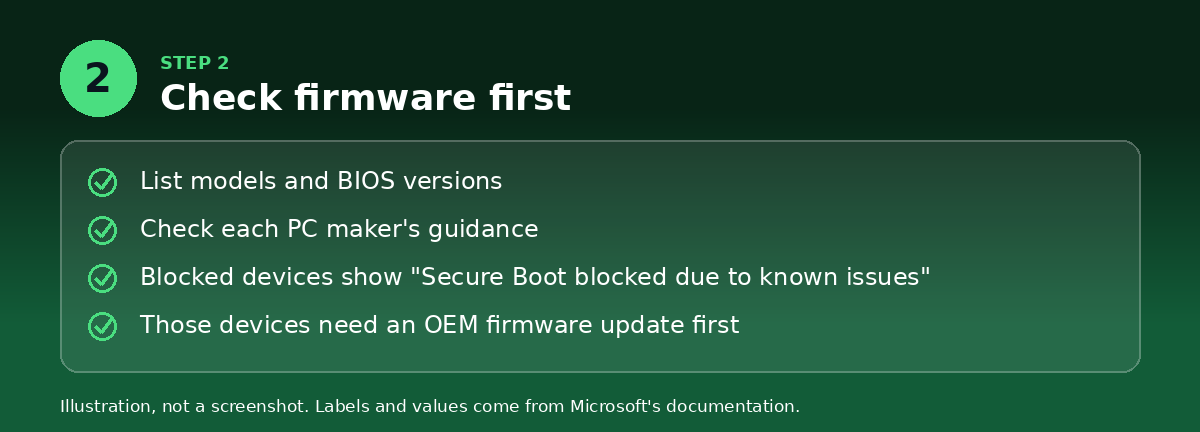
The update depends on what the PC maker ships. Build a list of models and BIOS versions, then check each maker’s guidance. HP, for example, removed some 2018-and-newer models from its supported list after concluding their NVRAM couldn’t hold the new certificates. In July Microsoft also paused the update on some device and firmware combinations, and Windows Security shows a “Secure Boot blocked due to known issues” alert on those devices. They need an OEM firmware update first, and Microsoft says that update might not be available yet.
Step 3: Create the Intune profile

- In the Intune admin center, go to Devices > Manage devices > Configuration.
- Select Create > New Policy.
- Set Platform to Windows 10 and later and Profile type to Settings catalog. Name it, for example, “Secure Boot”.
- Under Configuration settings, select Add settings and search for “Secure Boot”. Three settings appear.
- Choose the settings below, then assign the profile to your pilot group.
The three settings map to registry values:
| Intune setting | Registry value | What it does |
|---|---|---|
| Enable Secureboot Certificate Updates | AvailableUpdates | Starts deploying the updated certificates |
| Configure Microsoft Update Managed Opt In | MicrosoftUpdateManagedOptIn | Has Microsoft help deploy certificates in a controlled rollout |
| Configure High Confidence Opt-Out | HighConfidenceOptOut | Blocks automatic delivery through monthly updates |
Microsoft’s article is inconsistent about whether the first setting is on or off by default, so check what your tenant shows. Pro editions had an Intune licensing issue, Error Code 65000, that Microsoft fixed on January 27 and expected to clear by the end of February. Windows 11 23H2 Pro devices may still show it.
Step 4: Know what happens on the device

A scheduled task processes the setting every 12 hours. Starting it doesn’t force a restart, but some updates need one to finish. Microsoft’s guidance for Windows 365 says the certificates take about 48 hours and one or more restarts. Plan for a few days before the first devices report done.
For a manual test on a single device, Microsoft documents setting the AvailableUpdates value to 0x5944 under HKLM\SYSTEM\CurrentControlSet\Control\SecureBoot, running the \Microsoft\Windows\PI\Secure-Boot-Update scheduled task, and restarting. Use that on a test PC, not as your fleet method.
Step 5: Verify each device

Check two values under HKLM\SYSTEM\CurrentControlSet\Control\SecureBoot\Servicing:
- UEFICA2023Status:
NotStarted,InProgressorUpdated. You wantUpdated. - UEFICA2023Error:
0on success. A non-zero value is the first error it hit, so check the Secure Boot events in the Windows Event Logs.
Microsoft also tells admins to review the Secure Boot DB and DBX update events, in particular events 1801 and 1808. Microsoft offers an Intune Remediations detection script for fleet-wide reporting, so use it to collect status into one view. For Cloud PCs registered with Autopatch there is also a Secure Boot status report.
Step 6: Widen in rings

Move from the pilot to a small production ring, then to everyone, waiting for a clean week between rings. Keep a list of the devices that report an error or a blocked status, with their model and BIOS version. That list drives your OEM firmware requests and your refresh budget.
Check your work
- Every device is on exactly one deployment method.
- BitLocker recovery keys are escrowed for the pilot and for production.
UEFICA2023StatusreadsUpdatedandUEFICA2023Errorreads0on done devices.- A named person owns the list of blocked devices.
Common mistakes
- Mixing methods on the same device.
- Forcing the update before updating firmware on models with known problems.
- Skipping the BitLocker key check.
- Assuming that a certificate applied to firmware can be undone from Windows. Microsoft says it can’t. Clearing it must be done in the firmware interface.
My take
I’d rather be a few weeks late with a clean fleet than on time with a recovery storm. Firmware is the real dependency, so start with the model and BIOS list. The devices that can’t take the update are a refresh question, and the sooner finance sees that list, the better.
Sources
- Microsoft: Intune method of Secure Boot for Windows devices with IT-managed updates
- Microsoft: KB5068202, Secure Boot certificate update registry keys
- Microsoft: KB5080914, Secure Boot certificate updates for Windows 365
- BleepingComputer: Microsoft January 2026 Patch Tuesday
- Windows Latest: Microsoft confirms Secure Boot update failing on some PCs
- Windows Latest: Secure Boot problems on older PCs
- MDM Monthly, January 2026
- MDM Monthly, June 2025
I’m TJ Singh, a managing principal in mobility and endpoint management with more than 20 years of global experience in the device management field.
About me · Start here · Predictions
AI tools may have been used to conduct research for this article.